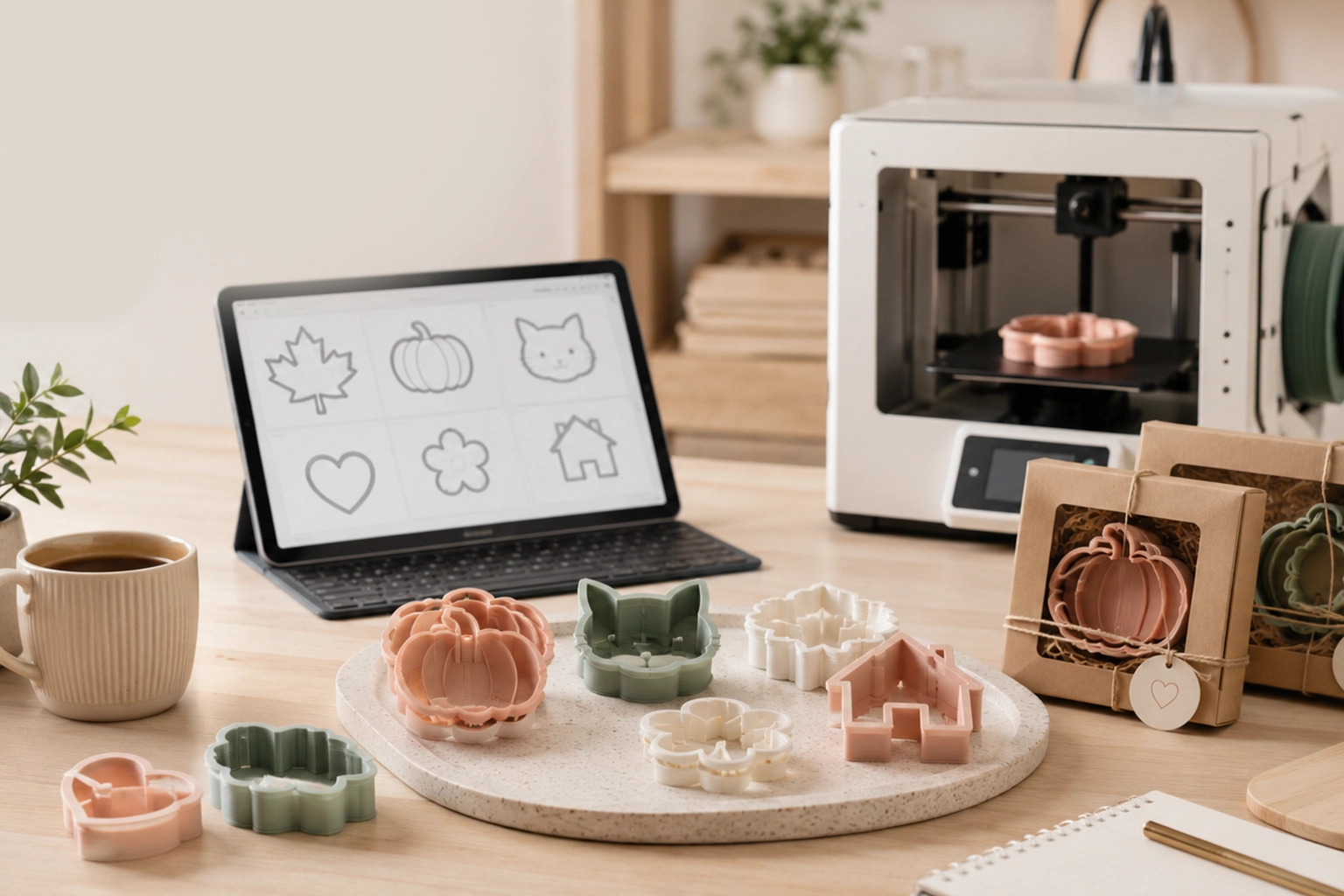

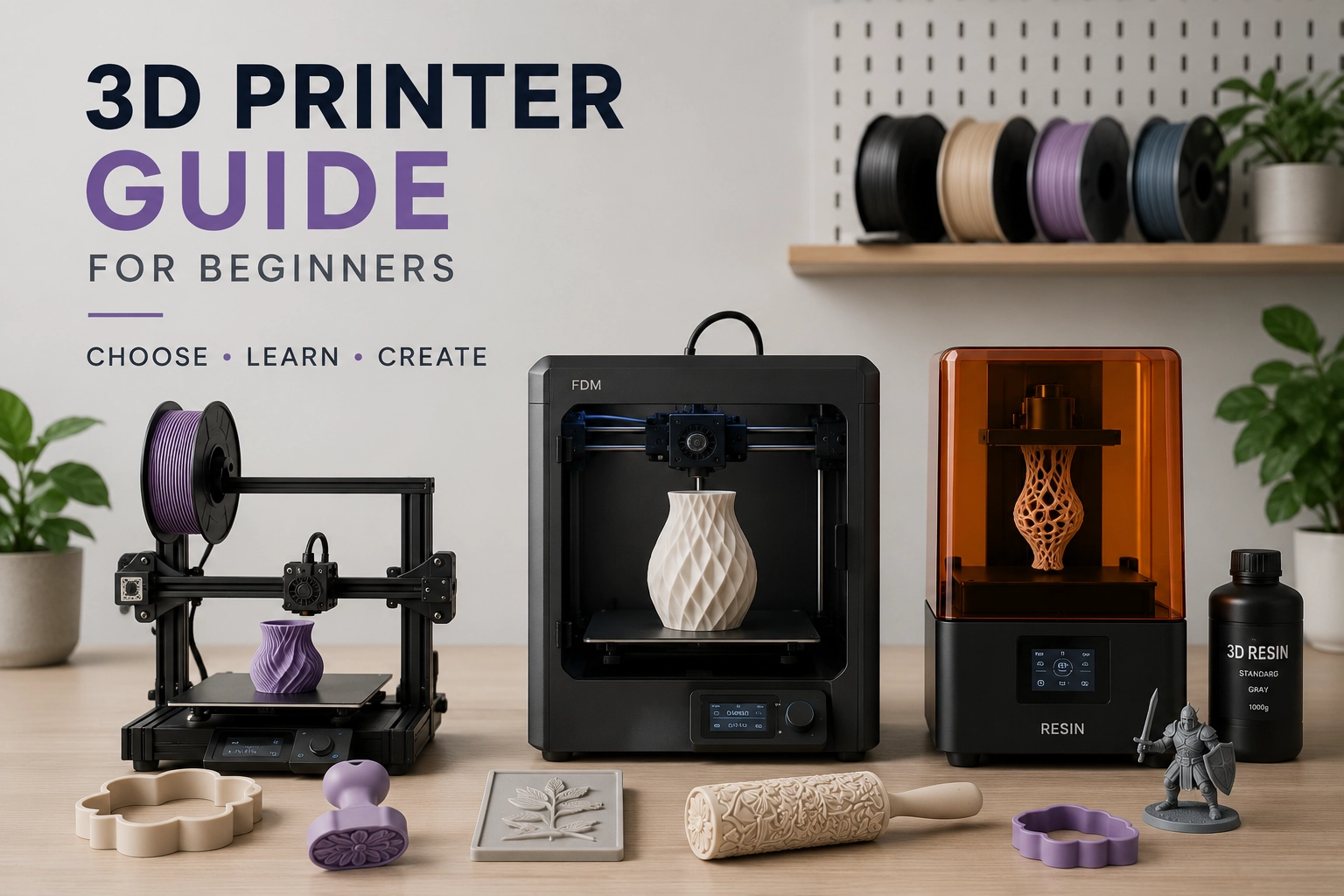
Buying your first 3D printer is exciting, but it can also feel confusing very quickly. There are filament printers, resin printers, enclosed printers, large-format machines, fast CoreXY models, compact desktop printers, and endless opinions about which one is “right.” For beginners, the best 3D printer is not always the most expensive or the most advanced. It is the one that fits what you actually want to make.
If your goal is to print cookie cutters, clay cutters, stamps, texture rollers, stencils, small craft tools, prototypes, or studio production pieces, your buying decision should start with workflow. What material will you print? How much detail do you need? How large are your parts? Will the printer sit in a home studio, garage, craft room, or production workspace? And just as importantly, how will you create clean STL files to print?
This beginner-friendly 3D printer guide explains the main printer types, the difference between filament and resin, what to check before buying, and how to think about 3D printing as part of a practical maker workflow.
Start with What You Want to Print
Before comparing printer specs, start with the product you want to make. A printer for tabletop miniatures is not always the same printer you would choose for cookie cutters. A machine for engineering prototypes may be more than you need for polymer clay cutters. A printer for texture rollers needs different thinking than a printer used for small decorative charms.
For craft and small-batch production, many beginners want to print items such as:
- cookie cutters and cutter-and-stamp sets;
- polymer clay cutters for earrings and jewelry;
- ceramic stamps and clay texture tools;
- texture rollers for repeating surface patterns;
- stencils, embossing tools, and small studio jigs;
- product prototypes and test shapes;
- simple molds, mold boxes, and casting helpers.
These use cases usually need clean geometry, reliable wall thickness, and repeatable print quality more than extreme technical complexity. For example, a cookie cutter needs a usable cutting edge and comfortable top rim. A stamp needs raised or recessed detail at a practical depth. A texture roller needs a seamless repeating pattern that prints cleanly and rolls evenly.
This is why the printer is only one part of the setup. The file matters just as much. If you plan to turn artwork into practical tools, CreateMold Studio can help you move from a flat design to print-ready STL and 3MF files for cutters, stamps, stencils, and texture rollers.
FDM vs Resin 3D Printers: The Main Difference
Most beginners choose between two main types of desktop 3D printers: FDM printers and resin printers. FDM printers use solid plastic filament. Resin printers use liquid photopolymer resin that cures with light. Both can produce detailed objects, but the workflow, materials, cleanup, safety considerations, and best use cases are very different.
FDM printers are usually the most beginner-friendly option for craft tools, cookie cutters, clay cutters, texture rollers, studio jigs, and larger functional parts. They print by melting filament such as PLA, PETG, or TPU and building the object layer by layer. The material comes on a spool, the parts are generally easier to handle after printing, and the workflow is more forgiving for everyday makers.
Resin printers are known for fine detail and smooth surface finish. They can be excellent for miniatures, small figurines, jewelry prototypes, and highly detailed display pieces. However, resin printing requires more careful handling, ventilation, gloves, washing, curing, and cleanup. For many beginners, especially those making larger craft tools, resin may be more demanding than necessary.
Printer Type Material Best For Beginner Considerations FDM / Filament PLA, PETG, TPU, ABS, ASA and other filaments Cookie cutters, clay cutters, stamps, texture rollers, prototypes, larger tools More beginner-friendly, less messy, good for practical studio objects Resin / SLA / MSLA Liquid photopolymer resin Miniatures, fine figurines, small high-detail models, jewelry prototypes Requires liquid resin handling, washing, curing, gloves, and more cleanupFor most cookie cutter, stamp, polymer clay, and texture roller projects, an FDM printer is usually the more practical starting point. Resin can create beautiful detail, but the post-processing workflow is often more than a beginner needs for everyday printable tools.
Filament Basics: PLA, PETG, TPU, and Other Materials
If you choose an FDM printer, filament becomes your next big decision. Filament is the plastic material fed into the printer. It melts through the nozzle and forms your object layer by layer. Different filaments behave differently, so beginners should start with materials that are easy to print before moving into advanced options.
PLA is the most common beginner filament. It prints easily, holds shape well, and works for many craft tools, test prints, prototypes, decorative objects, cutters, and general studio parts. For many new users, PLA is the best first material because it lets you learn the printer without fighting difficult settings.
PETG is stronger and more temperature-resistant than standard PLA, but it can be stringier and slightly harder to tune. It is useful for functional parts, studio fixtures, and tools that need more toughness. TPU is flexible and can be useful for soft parts, but it is not usually the first material a beginner should learn on. ABS and ASA can be strong and heat-resistant, but they usually need better ventilation, enclosure, and temperature control.
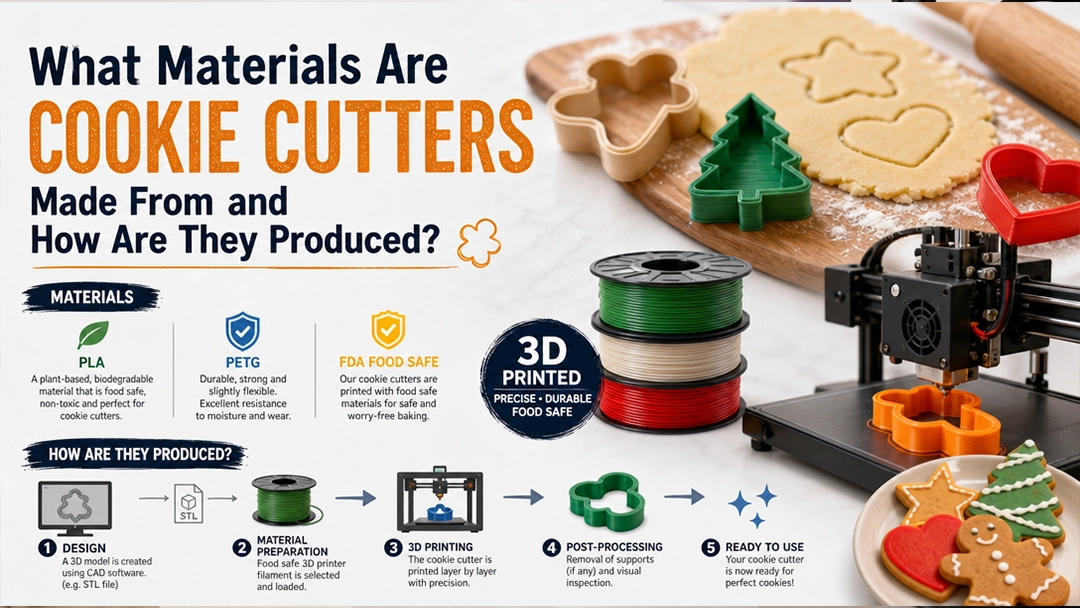
Filament Beginner Level Common Uses Notes PLA Easy Cookie cutters, clay cutters, stamps, prototypes, learning prints Good first material; avoid high heat exposure PETG Moderate Functional studio tools, stronger parts, fixtures Tougher than PLA but can require more tuning TPU Moderate to advanced Flexible parts, soft grips, bendable components Needs slower printing and compatible extruder setup ABS / ASA Advanced Heat-resistant parts, outdoor or functional uses Usually needs enclosure and ventilationFor cookie cutters and food-contact tools, be careful. A printed object is not automatically food-safe just because the filament looks clean. Layer lines, printer hardware, nozzles, pigments, surfaces, cleaning methods, and heat exposure all matter. If a tool will touch dough or food, review the filament manufacturer’s guidance and use appropriate handling and cleaning practices.
What 3D Printer Features Matter Most for Beginners?
It is easy to get distracted by speed numbers, marketing names, and long spec sheets. For beginners, a few practical features matter more than most advanced details.
- Reliable auto bed leveling: Helps the printer start each print at the correct distance from the build plate.
- Good first-layer consistency: A strong first layer reduces failed prints and frustration.
- Enough build volume: Make sure the printer can fit the cutters, rollers, stamps, or prototypes you want to make.
- Direct drive extruder: Useful if you eventually want to print flexible materials like TPU.
- Heated bed: Helps materials stick during printing and improves reliability.
- Enclosure or enclosure compatibility: Helpful for temperature-sensitive materials, dust control, and studio organization.
- Easy slicer workflow: The slicer should be understandable, stable, and compatible with the printer.
- Available replacement parts: Nozzles, build plates, belts, and hotend parts should be easy to find.
For craft production, build volume is especially important. A small printer may be fine for charms or small stamps, but texture rollers and large cookie cutters may need more space. A typical medium desktop printer can handle many beginner projects, but check the actual dimensions of your intended tools before buying.
If your workflow starts with artwork, the file preparation stage should also be simple. CreateMold lets makers turn artwork into print-ready STL files for cutters, stamps, stencils, and texture rollers, which can reduce the need to learn complex CAD software before your first useful prints.
3D Printer Styles: Bed-Slinger, CoreXY, Enclosed, and Resin
When people talk about 3D printer models, they often mean specific brand names. But for beginners, it is more helpful to understand printer styles first. Once you understand the style, choosing a model becomes easier.
Printer Style How It Works Good For Beginner Notes Bed-slinger FDM The print bed moves back and forth while the nozzle prints Budget-friendly learning, cutters, stamps, small studio tools Common, affordable, easy to understand CoreXY FDM The print head moves quickly while the bed is more stable Faster production, repeat batches, cleaner workflow Often more expensive but useful for active shops Enclosed FDM The printer has a covered chamber Better temperature control, cleaner studio setup, advanced materials Helpful if printing beyond PLA Resin printer Liquid resin cures layer by layer using light Miniatures, small high-detail objects, display pieces Requires washing, curing, gloves, ventilation, and careful cleanupA bed-slinger FDM printer can be a good first choice if you want to learn 3D printing without overspending. A CoreXY printer can make more sense if you plan to print often, test products regularly, or run a small shop with repeated orders. An enclosed printer is useful if you want a cleaner setup or expect to use more technical materials. A resin printer is worth considering if your work depends on tiny detail and smooth surfaces more than larger functional tools.
For cookie cutters, stamps, polymer clay cutters, and texture rollers, a reliable FDM printer with PLA is often enough to get started. The bigger difference usually comes from the quality of the STL file and the print settings.
3D Printer Buying Checklist for Beginners
Before buying a printer, use a practical checklist instead of chasing the most popular model of the month. A printer that is excellent for one maker may be inconvenient for another if the workspace, materials, or product goals are different.
- Define your main product. Are you printing cookie cutters, stamps, texture rollers, miniatures, molds, or prototypes?
- Choose FDM or resin. FDM is usually better for practical craft tools; resin is better for very fine visual detail.
- Check build volume. Make sure your largest expected part fits comfortably on the bed.
- Look at maintenance. Nozzles clog, beds need cleaning, belts need checking, and parts eventually wear.
- Consider noise and location. A printer in a home studio needs a different setup than one in a garage or workshop.
- Plan material storage. Filament should be kept dry, especially if you use PETG, TPU, or other moisture-sensitive materials.
- Understand software. You will need a slicer and a way to create or download STL files.
- Budget for extras. Include filament, spare nozzles, build plates, tools, storage boxes, and failed test prints.
For small handmade businesses, also think about production rhythm. If you print one tool per week, almost any reliable beginner printer may be enough. If you plan to create weekly product drops, custom orders, seasonal cutters, or matching stamp sets, speed, repeatability, and file organization become more important.
Best Printer Choice by Maker Use Case
The best printer depends on the work you plan to do. A beginner who wants custom cookie cutters does not need the same setup as a miniature painter. A ceramic artist making stamps may care more about clean relief detail and tool strength. A polymer clay seller may care about repeatable cutter sizes and fast design testing.
Use Case Recommended Starting Point Why Cookie cutters FDM printer with PLA Good for larger outlines, cutting walls, rims, and repeatable shapes Polymer clay cutters FDM printer with PLA or PETG Useful for sharp shapes, small-batch jewelry tools, and size variations Clay stamps FDM for general stamps; resin for very fine details Depends on detail depth, clay body, and desired impression Texture rollers FDM printer with enough build height or horizontal roller capacity Works well when the STL has a clean seamless pattern Miniatures and figurines Resin printer Better for small visual detail and smooth surfaces Studio jigs and prototypes FDM printer with PLA or PETG Practical, affordable, and good for functional objectsIf your main goal is making custom cutter and stamp files, it may be better to keep the printer choice simple and invest more attention in design quality. A clean STL file saves print time, reduces failed tests, and makes your printer feel much easier to use.
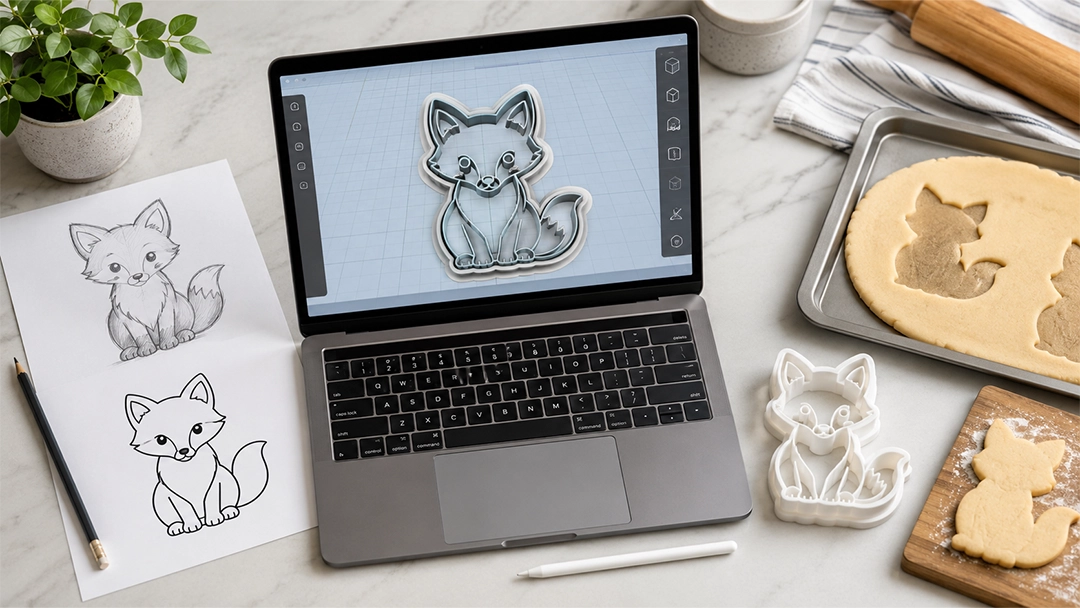
For example, if you want to design cookie cutters from your own drawing or logo, this guide on making a cookie cutter from a drawing, logo, or image explains why the STL file matters before printing. If you are comparing physical cutter materials, this article on cookie cutter materials and production can also help you understand where 3D printing fits among metal and molded plastic options.
Do You Need CAD Before Buying a 3D Printer?
You do not need to become a CAD expert before buying a 3D printer, but you do need a plan for creating or sourcing printable files. A 3D printer cannot print an idea directly. It needs a file, usually an STL or 3MF, that tells the printer what shape to build.
There are three common ways beginners get print files:
- Download ready-made STL files: Good for learning, calibration, and simple projects.
- Model from scratch in CAD: Powerful, but it takes time to learn.
- Use a specialized design workflow: Helpful when you need repeatable tools from artwork, logos, or simple shapes.
For makers who want cutters, stamps, stencils, and rollers, specialized workflows can be faster than traditional CAD. Instead of building everything manually, you can upload artwork, adjust settings, preview the tool, and export a file for printing. CreateMold is designed for this kind of workflow, especially when you want to create custom stamps and texture rollers from clean artwork without starting in complex modeling software.
This is where many beginners save the most time. The printer turns files into objects, but the design workflow turns ideas into printable files. A good printer with weak files will still create weak results. A modest printer with clean files can produce surprisingly useful studio tools.
Common Beginner Mistakes When Buying a 3D Printer
Most beginner mistakes are not about choosing the “wrong” machine. They are about buying without understanding the full workflow. A printer is not just a device; it is part of a small production system.
- Buying for speed only: Fast printers are useful, but reliability and print quality matter more for first projects.
- Ignoring build volume: A printer that is too small can limit cookie cutters, rollers, and larger tools.
- Choosing resin without planning cleanup: Resin printing can be excellent, but washing, curing, disposal, and ventilation require care.
- Forgetting filament storage: Moisture can affect print quality, especially with certain materials.
- Using weak STL files: Poor wall thickness, broken geometry, or bad scale can cause print failures.
- Expecting perfect first prints: Testing, calibration, and small adjustments are normal parts of learning.
- Printing production batches too soon: Always test one file before printing a full set for sale or studio use.
The smartest beginner approach is simple: choose a reliable printer, start with PLA, learn your slicer, test small projects, and improve your files before scaling. This gives you fewer surprises and a more realistic path toward useful production.
Final Thoughts: Buy the Printer for the Workflow, Not the Hype
A good 3D printer can become one of the most useful tools in a creative studio. It can help you test product ideas, make cookie cutters, produce clay cutters, create stamps, print texture rollers, build prototypes, and support small-batch production. But the best printer is the one that fits your real workflow.
For most beginners making practical craft tools, an FDM printer with PLA is a strong starting point. It is usually easier to learn, cleaner to operate, and well suited for cutters, stamps, rollers, and studio fixtures. Resin printers are better when tiny detail and smooth surface finish are the main goals, but they require a more careful workspace and post-processing routine.
Before you buy, think about what you will print, where the printer will live, how large your parts need to be, what materials you will use, and how you will create your STL files. If your goal is to turn artwork into custom tools, start with a workflow that gives your printer clean files to work with.
When you are ready to create printable cutters, stamps, stencils, or texture rollers from your own designs, CreateMold Studio can help you preview the tool, adjust key settings, and export STL or 3MF files for your 3D printing setup.
Key Takeaways
- Beginners should choose a 3D printer based on what they want to make, not only on brand names or speed claims.
- FDM printers use filament and are usually more practical for cookie cutters, clay cutters, stamps, texture rollers, and studio tools.
- Resin printers can produce fine detail, but they require more cleanup, safety planning, washing, and curing.
- PLA is the easiest starter filament for many craft and studio projects.
- Build volume, bed leveling, reliability, replacement parts, and slicer workflow matter more than flashy specs.
- A clean STL or 3MF file is just as important as the printer itself.
FAQ
What type of 3D printer is best for beginners?
For most beginners, an FDM filament printer is the best starting point. It is usually easier to learn, cleaner to manage, and practical for everyday objects such as cookie cutters, stamps, clay cutters, prototypes, and studio tools.
Is filament or resin better for a first 3D printer?
Filament is usually better for a first printer if you want a simpler workflow and larger practical tools. Resin is better for very small, highly detailed models, but it requires liquid resin handling, washing, curing, gloves, and more workspace planning.
Can I print cookie cutters with a beginner 3D printer?
Yes. Many cookie cutters can be printed on beginner FDM printers using PLA filament. The result depends on the STL file, wall thickness, cutting edge design, slicer settings, and proper food-contact considerations.
What filament should beginners start with?
PLA is usually the easiest filament for beginners. It prints reliably, works for many craft tools, and is widely available. PETG, TPU, ABS, and ASA can be useful later, but they usually require more tuning or workspace preparation.
Do I need CAD software to use a 3D printer?
You do not always need traditional CAD software. You can download STL files, learn simple modeling, or use a specialized workflow that turns artwork into printable tools. For cutters, stamps, stencils, and texture rollers, CreateMold Studio can help create print-ready files from artwork.
If you are buying your first 3D printer for a creative studio, start with the product you want to make and the files you need to print. CreateMold helps makers turn artwork into printable cutters, stamps, stencils, and texture rollers, so your new printer has cleaner STL and 3MF files to work with from the beginning.